Need your serial number for a warranty claim or parts order? Here is exactly where to find it on every type of Shark vacuum: upright, robot, and cordless.
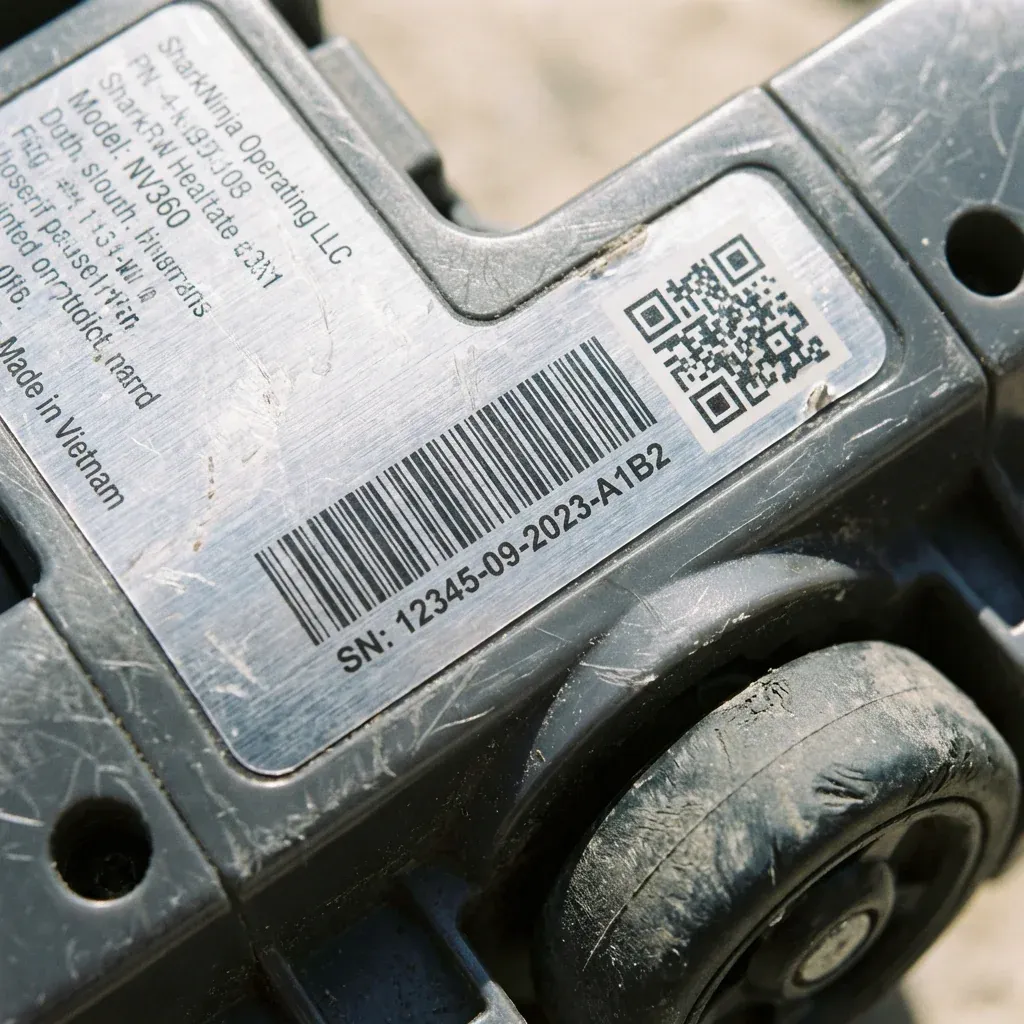
Your Shark vacuum’s serial number is essential for warranty claims, parts orders, and product registration. But it is often hidden in a non-obvious location. Here is exactly where to find it for every type of Shark.
Need your serial number for a warranty claim or parts order? Here is exactly where to find it on every type of Shark vacuum: upright, robot, and cordless.
- Symptoms: Need to find serial number for warranty, Ordering replacement parts, Registering product online
- Tools: none
- Difficulty: Easy
Upright Vacuums (Navigator, Rotator, Vertex)
- Location: On the back of the main body, near the bottom. Look for a white or silver sticker.
- For Lift-Away Models: The sticker is on the canister pod (the part you detach), not the floor nozzle.
Cordless Stick Vacuums (Rocket, Vertex Pro, Stratos)
- Location: On the handle or motor pod (the handheld portion). Check the back or underside.
- Battery Sticker: The battery itself also has a serial number, but this is different from the vacuum’s serial number.
Robot Vacuums (Ion, IQ, AI, Matrix)
- Location: On the underside of the robot. Flip it over and look near the brushes.
- In the App: The SharkClean app also displays the serial number under “Device Info” once the robot is paired.
Handheld Vacuums (Wandvac)
- Location: On the bottom of the unit or inside the dust cup compartment.
What Information is on the Sticker?
| Field | Example | Purpose |
|---|---|---|
| Model Number | NV352, IZ682H | Identifies the vacuum line |
| Serial Number | S/N 12345ABC | Unique to your specific unit |
| Date Code | 2024-03 | Manufacturing date (for warranty start) |
Serial Number Not Readable?
If the sticker is worn, faded, or missing:
- Check the Original Box: The serial number is often printed on the box barcode.
- Check Your Receipt: Some retailers print the serial number on the purchase receipt.
- Contact Shark: Provide your purchase date and retailer, and they may be able to look up your warranty status.
TIP: Take a photo of your serial number sticker and save it to your phone. If the sticker ever wears off, you will still have a record for warranty purposes.