Need more runtime for your Shark Vertex cordless? Compare official and third-party battery options, higher mAh ratings, and the best external charging docks.
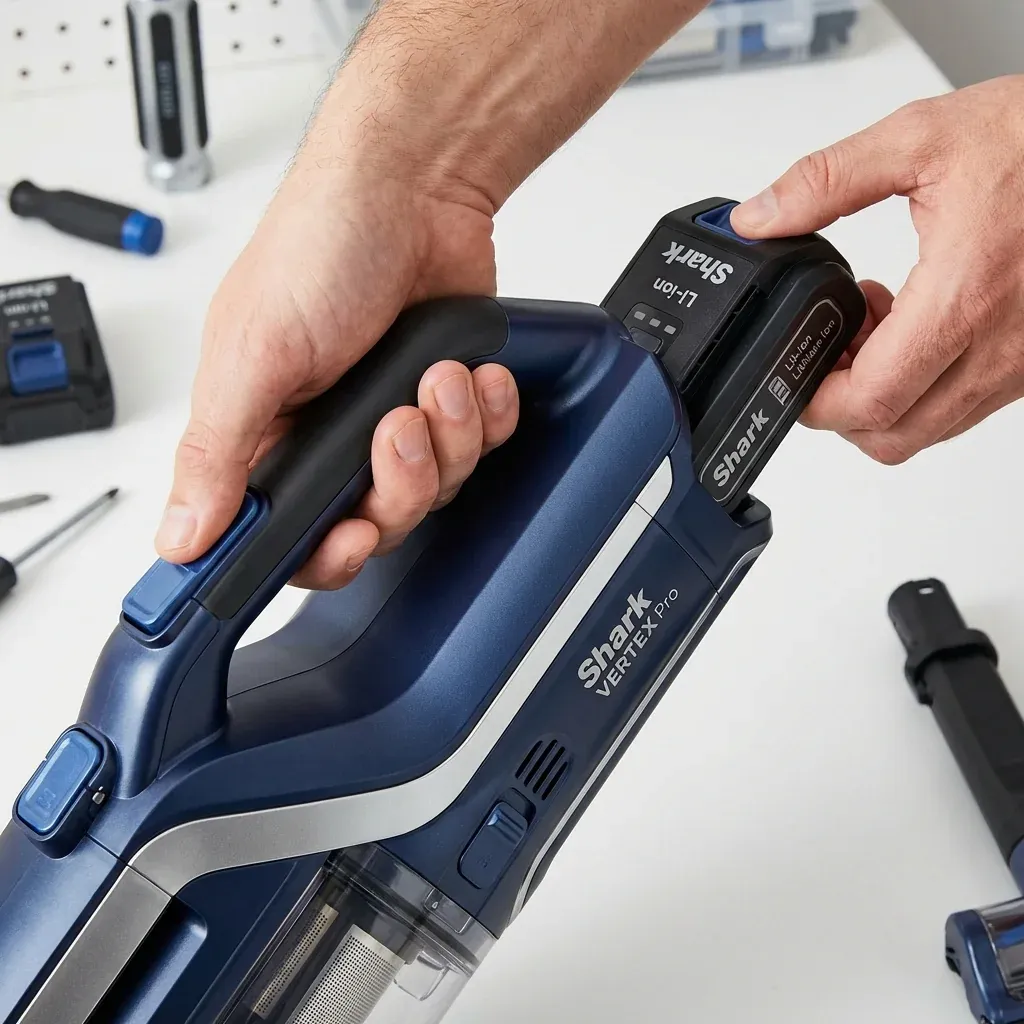
The Shark Vertex Pro (including the IZ662H and IZ682H) is one of the most powerful cordless vacuums ever made. However, that power comes at a cost: it drains its lithium-ion battery faster than almost any other model.
Need more runtime for your Shark Vertex cordless? Compare official and third-party battery options, higher mAh ratings, and the best external charging docks.
- Symptoms: Vacuum only lasts 5 minutes on Carpet mode, Battery indicator won’t show more than 2 bars, Original battery is swollen or hot to the touch, Need a second battery for whole-house cleaning
- Tools: none
- Difficulty: Easy
If you live in a larger home, the standard 30-40 minute runtime (in Eco mode) is likely not enough. Here is how to upgrade your power and where to buy the most reliable replacement packs.
1. Official Shark vs. Generic Batteries
When buying a replacement for the IZ-series, you have two primary choices.
- Official Shark Batteries ($100+): These are the safest option. They use high-quality Japanese or Korean cells and have a built-in battery management system (BMS) that communication perfectly with the Vertex’s digital display.
- High-Rated Generic ($55 - $75): Brands like SpareIO or Biswaye offer batteries with higher “milliamp hour” (mAh) ratings. While an official battery might be 2500mAh, you can find generic versions with 4000mAh, effectively giving you 25% more cleaning time.
2. Check Your Voltage
Unlike the older Rocket models, the Vertex Pro uses a high-voltage system.
- IZ400/IZ600 Series: Typically use a 25.2V Lithium-Ion pack.
- Important: Never try to force a battery from an older Rocket model into a Vertex. The pin configuration is different, and the voltage mismatch can fry the Vertex’s main control board.
3. The “Two-Battery” Strategy
The Vertex Pro features a removable battery. The most efficient way to maintain a large home is to buy a second battery and an External Charging Cradle.
- The Benefit: You can charge one battery on the wall while you use the other. When the vacuum dies, you swap them in 2 seconds and keep cleaning. This is much better than waiting 3 hours for the vacuum to charge halfway through your chores.
4. Why Does the Battery Degrade?
If your battery is less than a year old and failing, it is likely due to Thermal Stress.
- The Carpet Drain: Using “PowerFins” mode on high-pile carpets causes the motor to draw massive amounts of current. This generates heat inside the battery.
- The Fix: If the battery feels “hot” after a run, do not plug it into the charger immediately. Let it cool for 30 minutes. Charging a hot battery causes the internal chemicals to break down, permanently reducing its lifespan.
Battery Comparison Table
| Feature | Official Shark Pack | Premium Generic (4000mAh) |
|---|---|---|
| Max Runtime (Eco) | ~40 Minutes | ~55 Minutes |
| Cost | ~$110.00 | ~$65.00 |
| Display Accuracy | 100% Accurate | May show 0% prematurely |
| Warranty | 1 Year | 3 - 6 Months |
TIP: When buying on Amazon, always look for the weight of the battery in the technical specs. A heavier battery usually means it contains more lithium cells, verifying the higher mAh claim. If a “long life” battery is lighter than your original, the capacity claim is likely fake.
Corded vs Cordless Shark Vacuum: Pros & Cons for Large Homes